Firnkern

Irreplaceable is a risk.

When key people leave, their knowledge stays. Verified.

Firnkern captures experience in conversation, lets the successor work with it and management confirm it – before anyone leaves.

A young software start-up from Northwestern Switzerland (Riehen, Basel)

Firnkern for:SuccessionOnboardingVocational trainingHigher education

Pilot phase: free of charge with a voucher · any number of people

Real recordings from Firnkern 2.34 in the sample company – people and data are fictional. No sound.

  • On your own computer or your company network
  • German and English
  • Succession · mentoring · vocational training · higher education
  • Sends nothing without your admin
  • Sign in with Microsoft, Google or OpenID Connect

How people work with Firnkern

From conversation to verified handover.

Four steps, four people – this is what it looks like in the software.

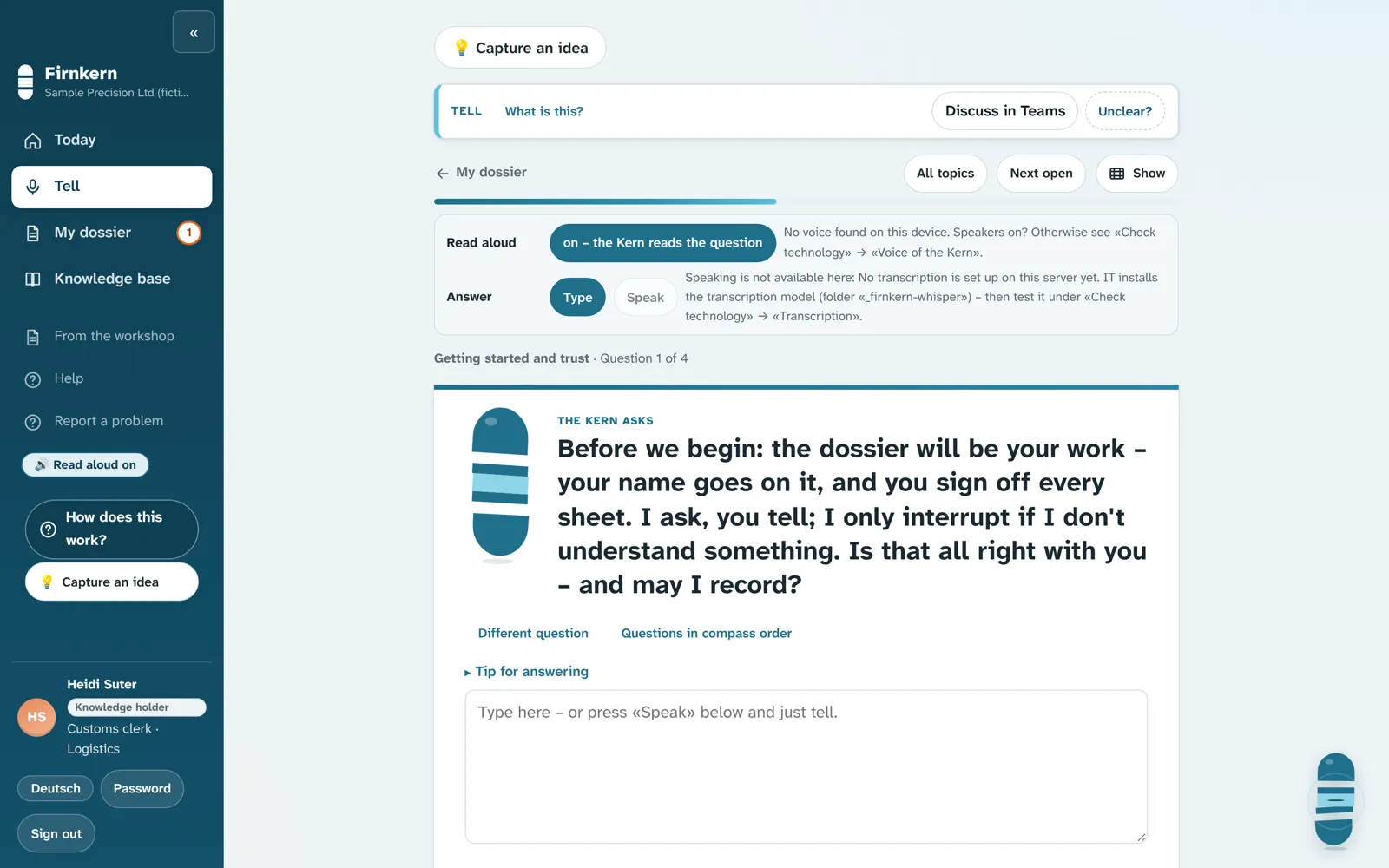
The Kern asks, Heidi tells – in her own words, one question at a time.

Real recordings from Firnkern 2.34 and 1.7 in the sample company, without a language model – people and data are fictional.

What senior management can’t see.

The film about Firnkern – 80 seconds, with sound and subtitles.

People and data are fictional, synthetic voice.

Why Firnkern

What a departure costs usually shows only afterwards.

21 %

of an annual salary is what a staff change typically costs – recruiting, onboarding, lost productivity.

Median of 27 case studies, Boushey & Glynn (2012), Center for American Progress.

Without a verified handover

  • ×The knowledge sits in one head – and nobody knows what is missing.
  • ×The successor asks around; gaps show up in daily work.
  • ×In the audit there is no record of who handed over what.
  • ×What the departure costs becomes clear when it is too late.

With Firnkern

  • ✓The Kern asks for the knowledge. The person signs off every sheet.
  • ✓The successor works with the dossier alone – gaps show up beforehand.
  • ✓The handover record is created along the way, with date and confirmation.
  • ✓«Two futures» shows the loss in advance – based on your assumptions.

Who it is for

One software for every passing-on of experience

For companies, vocational training and universities: one switch per organisation changes the terms – in the interface, in documents and in the Kern's voice.

Sample company · customs

Companies

Succession

Knowledge holder→Successor

Before someone leaves: capture knowledge in conversation, have the successor test it and management confirm it.

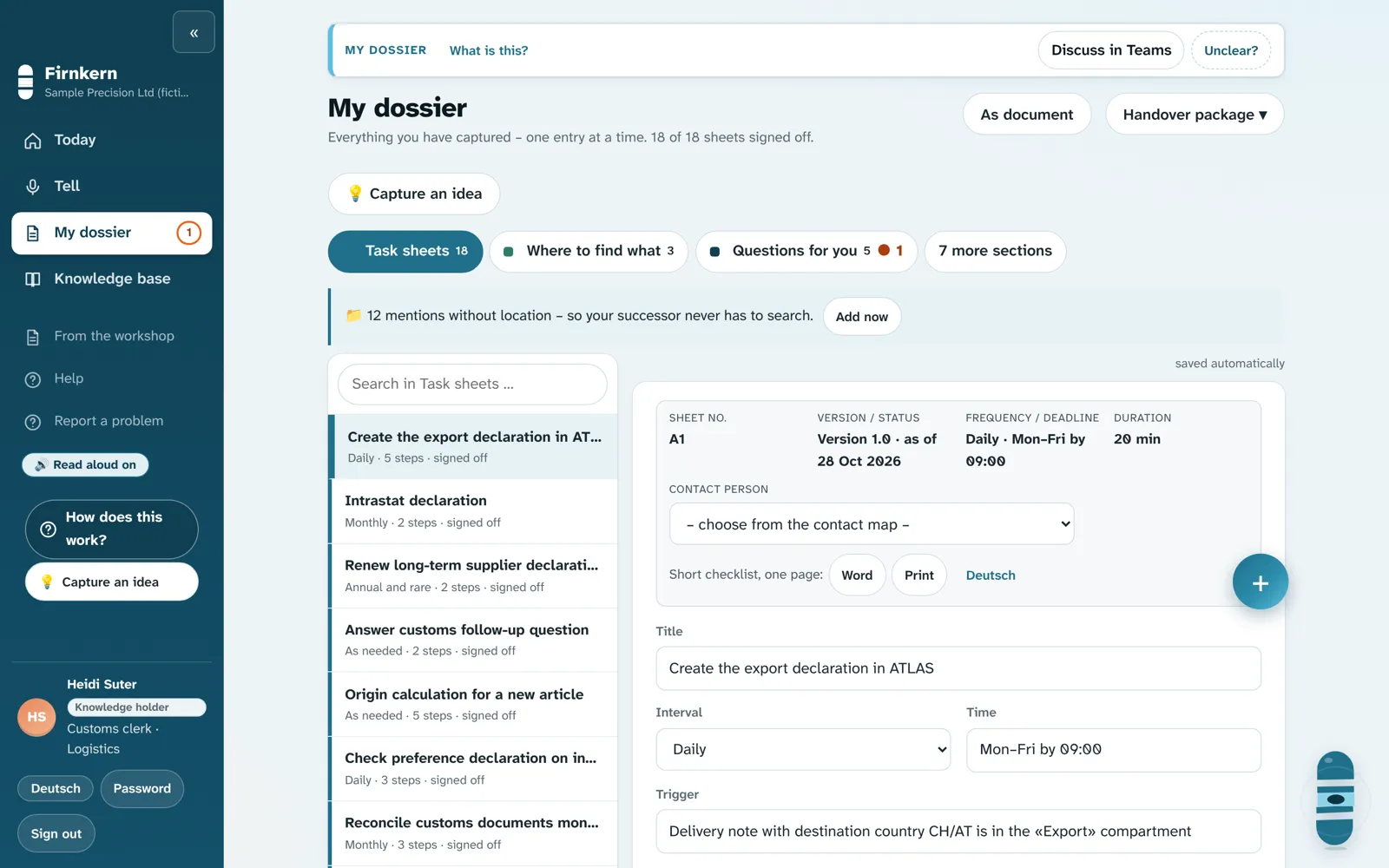
  • Dossier with task and fault sheets
  • Testing in levels, sign-off with evidence
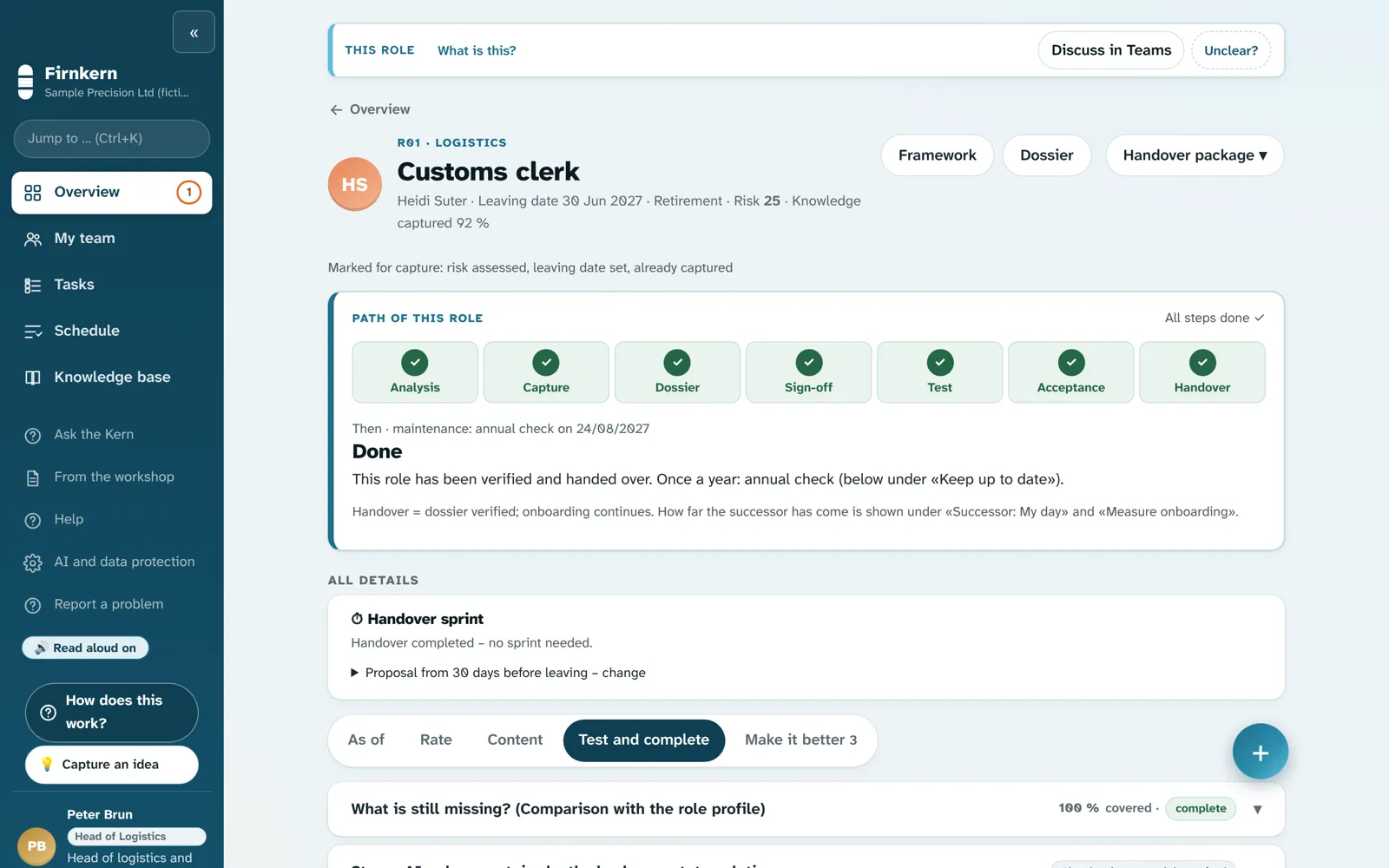
  • Handover record per role
More on succession →
Sample company · customs

Onboarding

Mentoring

Mentor→Mentee

New people work their way in with the dossier of the experienced – step by step, in daily work.

  • «My day» shows what is due today
  • Tasks with date and material
  • Questions straight to the experienced
More on onboarding →
Apprenticeship · customs and shipping

Vocational training

Apprenticeship

Trainer→Apprentice

Learning lab with learning plan, exercises and exam simulation – from the organisation's own documents.

  • Templates for trades from 39 occupational fields
  • Seven question types, released by the trainer
  • Only the learner sees the results
More on vocational training →
Talbach University · course

Higher education

Teaching and internships

Lecturer→Student

Courses and groups for lectures and internships – with submissions, calendar and announcements.

  • Copy a course for next semester
  • Rubrics – only people grade
  • Grade export CSV, import course list
More on higher education →

Supplied questions and learning plans are templates and have not been reviewed by experts for every occupation. Firnkern never grades automatically.

Real recordings from Firnkern 2.34 (succession) and 1.7 (onboarding, vocational training, higher education; as of November 2026), each in the matching mode with its own sample data: customs succession, customs onboarding, customs and shipping apprenticeship, Talbach University – people, organisations and data are fictional.

Conversation with the Kern

Tell it like you would to a colleague New

No forms, no training first. The Kern asks the next question, follows up and turns the answer into a proposal for the dossier. Only what the person confirms goes into the dossier.

Conversation · Customs clerk roleHeidi Suter · sample company

Sample company – people and data are fictitious.

  • 1
    Speak, type or show

    Answer by voice or keyboard – simply drag photos, videos and documents into the conversation. Firnkern asks first where they belong.

  • 2
    The Kern follows up

    Where an answer has gaps, it keeps asking – about exceptions, deadlines, contacts.

  • 3
    Nothing without confirmation

    Every proposal arrives as a card. Only when the person confirms it does it go into the dossier – as a draft. The conversation itself stays private.

  • 4
    Ask instead of search

    «How is the customs role doing?», «My day» or «How do I create a task sheet?» – the answer comes with «Show me».

Ask the KernPeter Brun · Head of Logistics

Sample company – people and data are fictitious.

Ask the Kern

How is the customs clerk role doing?

Management, successors and admins ask in their own words. The answer shows only what the person is allowed to see – and «Show me» takes them straight to the right place.

Your view

Standard or simple – everyone chooses

People who work with it every day want to see everything. People who only drop in now and then want one task and one button. In the «Simple» view Firnkern shows today’s most important task at the top and at most five large tiles.

  • 1
    Set by each person

    Everyone can switch – on the phone and on the laptop. The admin can make «Simple» the default; switching back is always possible.

  • 2
    Same rights, same data

    Only the presentation changes. All functions remain available under «More».

  • 3
    Answers without jargon

    The key sentence large, the source in one line, the passages to expand.

Sample company – people and data are fictitious.

Colleague chat

Ask quickly – right inside Firnkern

Firnkern has a simple colleague chat for questions around the handover: one-to-one or in a group, with attachments. It complements existing tools such as Teams.

Connections

Use what exists instead of retyping

  • 1
    Read storage continuously

    File shares, SharePoint, OneDrive, Confluence and Google Drive – continuously and read-only. Administration switches on each source individually. Anything read in counts as an outside hint until a person takes it into the dossier.

  • 2
    Learning platforms

    Launch via LTI 1.3 from Moodle, Canvas or OpenOlat; export a group as Common Cartridge.

  • 3
    AI assistants

    Connect to Claude, ChatGPT or Microsoft Copilot via the open protocol MCP – read-only, confirmed knowledge only, with the rights of the signed-in person. Administration switches it on.

Four steps · with and without AI

From telling to confirmation

Firnkern works on three AI levels. Level 1 runs entirely on your server, without the internet. With a language model on level 2 or 3 you get more at every step – people always decide. Choose a level and see what is added.

What this level adds
Everything essential works – without the internet.

Conversation with transcription, dossier, check and confirmation run entirely in-house. Speech recognition and the Kern’s voice run locally. In the knowledge base you search and read the passage yourself.

No outside calls.
The Kern answers in sentences.

«Ask the Kern» answers questions to the knowledge base as text, Word, PowerPoint or Excel – every statement with evidence. Plus suggestions for the dossier.

Processing in Infomaniak’s data centre in Geneva, names pseudonymised.
The Kern writes drafts and looks outside.

Dossier draft from the whole conversation, improvement suggestions with reason and calculation, web search and «How others do it» – without your company data.

Processing at Anthropic in the USA – only with explicit consent, names pseudonymised.
  1. 1

    Tell

    The person tells, the Kern asks follow-up questions.

    • The Kern asks the next question – from the role’s question catalogue and the questions set by management
    • Speak instead of typing: transcription in-house
    • On a laptop or in the phone browser, where the work happens
    • The Kern phrases answers to how-to questions from the help from level 2new · Level 2
    • The language model picks the next question to fit what was said from level 3new · Level 3
    Telling in the sample companyView screen ↗
  2. 2

    Dossier

    The conversation becomes sheets.

    • Task and fault sheets, deadlines and contacts from the person’s own answers
    • The person releases every sheet themselves
    • Suggestions for the dossier from what was told from level 2new · Level 2
    • Dossier draft from the whole conversation – every statement with evidence from level 3new · Level 3
    Dossier in the sample companyView screen ↗
  3. 3

    Check

    The successor works only with the dossier.

    • Checks in levels, according to the risk of the role
    • Acceptance criteria are fixed before the test
    • Search in the dossier
    • «Ask the Kern» within their own role: answers only with evidence from approved sheets – otherwise a follow-up question to the knowledge holder from level 2new · Level 2
    • Daily hint «What to watch out for» for the successor from level 3new · Level 3
    Checking in the sample companyView screen ↗
  4. 4

    Confirmed

    Only management completes the handover.

    • The software checks every condition with evidence
    • Management confirms – four-eyes principle
    • «Ask the Kern» for management: answer as text, Word, PowerPoint or Excel – with evidence from level 2new · Level 2
    • «Improve»: suggestions with reason and calculation from level 3new · Level 3
    • «How others do it» from web search – without your company data from level 3new · Level 3
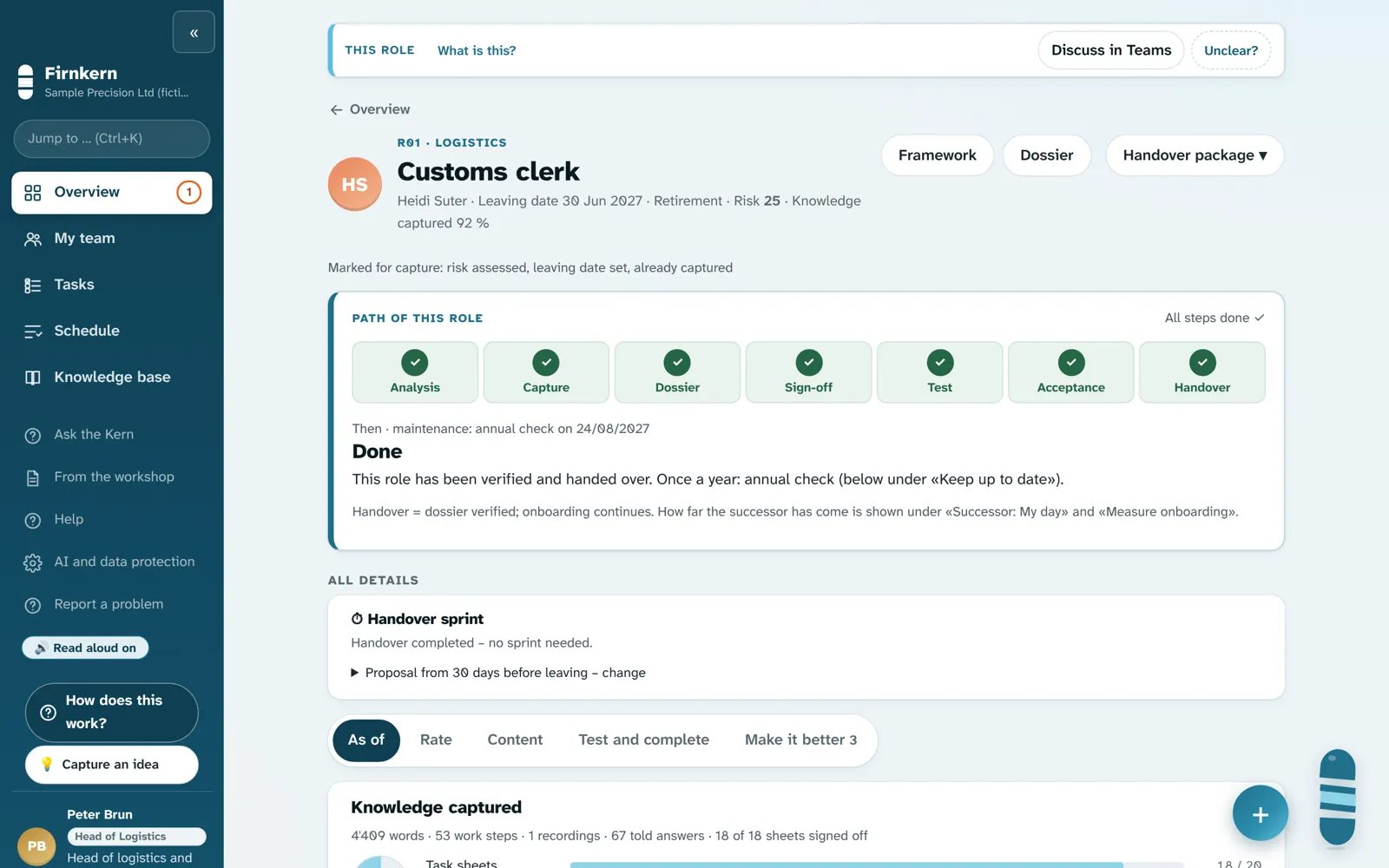
    Role status in the sample companyView screen ↗

What you end up with – per level

Choose a level above: what you get is shown in light.

Level 1Level 2Level 3
Knowledge baseAnswers for successor and management
Level 1 from level 1Search finds the matching sheets and passages – you read them yourself.
Level 2 from level 2Answer in sentences – as text, Word, PowerPoint or Excel, every statement with evidence. Only from what you may see.
Level 3 from level 3The same requests with a larger language model – for demanding drafts.
DossierWhat the person hands over
Level 1 from level 1Sheets from templates, built from the person’s own answers – they release each one.
Level 2 from level 2Plus suggestions for the dossier from what was told.
Level 3 from level 3Draft from the whole conversation: main step, key point, reason – with evidence.
Improving processes«Improve» for management
Level 1 from level 1Guided path in six steps: find, understand (5 whys), decide (benefit and effort), try out, make it standard, re-measure.
Level 2 from level 2As without AI.
Level 3 from level 3Drafts for the improvement list: reason, evidence on sheet and step, calculation. Plus «How others do it» from web search.
Specialist radarNews for the role, at most 3 items per week
Level 1 from level 1From your company’s source list, e.g. official websites – every item with its source.
Level 2 from level 2As without AI.
Level 3 from level 3Additionally web search – without your company data.

Whatever the AI delivers is a labelled draft – only what a person checks and releases goes into the dossier. Dossier draft, daily hint and improvement drafts also run with a local language model in-house instead of level 3.

Stays with people at every level
  • Releasing sheets
  • Passing the check
  • Confirming the role
  • Grading
Every suggestion is labelled

Rule answer without language modelSuggestion by the language model · Level 2 · model

What the levels cost and which data leave your company: see «Data and AI». The images come from the sample company – people and data are invented.

Data and AI

You decide where the data lives – and what the AI may do

Choose operation and AI tier. The picture shows where Firnkern runs, what the AI can do, what it costs and which data leaves your organisation.

Where does Firnkern run?

AI level

What the AI can do

Speech recognition (transcription while telling) and the Kern’s voice run on your server – without the internet. No language model.

What it costs

Included in the licence.

What the AI can do

A compact language model in Infomaniak’s data centre in Geneva: suggestions for the dossier, «Ask the Kern» – and, if you wish, transcription.

What it costs

Your own Infomaniak account, pay per use. Firnkern charges no surcharge.

What the AI can do

A large language model from Anthropic (servers in the USA) for demanding drafts and «Ask the Kern».

What it costs

Your own Anthropic account, pay per use. Firnkern charges no surcharge.

AI credit via Firnkern (packs of CHF 20 / 50 / 100 / 300 / 1,000 for the company, valid 12 months, purchase price + 15 %, minimum top-up CHF 20): planned, not yet available. Guide value per role and year (assumption based on fictitious pilot data, no promise): transcription about CHF 5, level 2 with transcription about CHF 5.50, level 3 about CHF 11.

On your company networkIn the cloud · CH
EmployeesBrowser · phone
Firnkern server on your company networkYour own Firnkern instance, data centre in SwitzerlandDossiers, documents, rolesHTTPS · two-factor · daily backup
No calls to the outsideTranscription and suggestions at Infomaniak (Geneva)Large language model at Anthropic (USA)

What leaves your organisation?

Nothing. Even the licence key is checked locally.

For transcription and suggestions: audio (only with the person's consent) and text, names pseudonymised. According to Infomaniak not used for training.

Text to Anthropic in the USA, names pseudonymised – only with explicit consent.

Your data lives in your instance in a data centre in Switzerland; there are no AI calls to the outside.

As tier 2: audio only with consent, text pseudonymised, processed at Infomaniak in Geneva.

Text to Anthropic in the USA, names pseudonymised – only with explicit consent.
  • Consent firstEvery person decides what they capture and signs off every sheet.
  • A log instead of trust«AI and data protection» shows word for word what last left the building.
  • Nothing to FirnkernReports and the update check only if your admin turns them on – never dossier content.

More than a dossier

Everything your organisation knows – in one place

Firnkern does not only secure what one person knows. It makes the knowledge of the whole organisation findable, suggests improvements and helps people learn. This is how it looks – in the fictional sample company.

Knowledge base

Ask in your own words. Every answer with evidence.

Read in dossiers, SOPs, training material and transcripts. Firnkern finds the passage, shows the source – and flags it when two sources contradict each other. Search works without AI too.

Make it better

Process improvements suggested by Firnkern

Telling the story brings detours and exceptions to light. Firnkern turns them into suggestions – and takes every improvement through six steps until it measurably works. If it does not, it goes back.

Ask the Kern

Requests instead of searching

The answer as text, Word, PowerPoint or Excel – with evidence and only from what you may see. From AI tier 2.

Two futures

What does it cost to do nothing?

A twelve-month loss calendar based on your management's assumptions – and the budget request as a Word document.

Learning

From knowing to doing – step by step

Your dossier and documents become a learning path. Beginner first, then advanced, then expert – the next level opens once the previous one is mastered. Only the learner sees the results.

Level 1Beginner
92 %
Level 2Advanced
64 %
Level 3Expert
🔒 opens at 80 % in level 2
SELF-TEST · INSTANT FEEDBACK

How long is a long-term supplier declaration valid at most?

Try it · sample company, fictitious

  • 1
    Learning path with levels

    Beginner, advanced, expert per learning goal – can be switched off if you don’t need it.

  • 2
    Seven question types

    Multiple choice, true/false, matching, sequence, case task, gap text, flashcard – with exam simulation.

  • 3
    For groups and courses

    For apprentices, internships and universities: courses and groups with submissions, calendar and announcements.

  • 4
    People grade, not the software

    Firnkern never grades automatically. Rubrics and grades stay with the trainer or lecturer.

  • Copy a course for next semester
  • File submissions
  • Email reminders
  • Calendar (.ics)
  • Team work
  • Rubrics
  • Grade export CSV
  • Q&A forum confirmed by the lecturer
  • Import course list

Evidence and IT

Ready for the audit. Fits your IT.

What happens during a handover anyway becomes evidence. Firnkern prepares the documents – audit and certification remain with your company.

ISO/IEC 27001 A.6.5Handover record per role

Who handed over what, who verified, who confirmed.

ISO 30401Knowledge inventory

Which knowledge the company has secured – and where it is missing.

ISO/IEC 27001 A.8.15Log

With names that can be hidden for sharing.

ISO 9001 7.5Sign-offs and versions

Every sign-off with date, person and version.

Templates for your evidence – Firnkern is not certified and does not make anything «ISO compliant».

Sign in the way you are used to

User name, email or single sign-on – the admin chooses.

Microsoft Entra IDGoogle WorkspaceOpenID ConnectLink / QR

On the phone like an app

Web app with an icon on the home screen. Stay signed in as long as the admin allows.

Phone browserLaptop

Sends only what you approve

Reports to Firnkern only after preview and approval by your admin – names, emails and paths are replaced.

Default: offWord-for-word preview

One minute per role

What does Firnkern do for you?

Choose your role. Each film shows in one minute what changes for you – for management, team leads, HR, quality, IT and the person passing on their knowledge.

All people are fictional, voices are synthetic. Subtitles available.

Before you compare prices

What does it cost when the knowledge simply leaves?

Replacing an employee typically costs 21 % of an annual salary – recruiting, onboarding, lost productivity (median of 27 case studies, excluding executive and physician positions; Boushey & Glynn 2012). Enter your roles with their salaries – simply overwrite the example values.

RoleAnnual salary (CHF)
Further roles without individual details
Size of your company
If each of these people leaves oncetypical cost, 21 % of each annual salary
Firnkern for these rolesbase licence for one year

Example calculation with your assumptions, not a promise. Firnkern does not prevent departures and does not replace onboarding; it aims to reduce the part caused by missing knowledge. For executive positions the same study reports much higher costs (up to 213 %).

Source: Boushey, H. & Glynn, S. J. (2012). There Are Significant Business Costs to Replacing Employees. Center for American Progress.

To the prices ↓

Pricing

Base licence by company size. Every handover with its own token.

You pay an annual licence depending on the size of your company. Handovers are included; each further handover uses a token. All features, any number of people.

Pilot phase: companies test free of charge with a voucher. Prices apply after the pilot phase – introductory prices, subject to change. Become a pilot company

Term

Small

1–9 employees

incl. 1 handover · each further CHF 99

CHF 99 / year


Pre-registerGet a pilot voucher
  • All features
  • Any number of people
  • Handover tokens valid 24 months

Compact

10–49 employees

incl. 2 handovers · each further CHF 190

CHF 490 / year


Pre-registerGet a pilot voucher
  • All features
  • Any number of people
  • Handover tokens valid 24 months
Recommended

Medium

50–249 employees

incl. 2 handovers · each further CHF 490 · pack of 3 CHF 1,290

CHF 1490 / year


Pre-registerGet a pilot voucher
  • All features
  • Any number of people
  • Handover tokens valid 24 months

Large

250+ employees

incl. 3 handovers · each further CHF 690 · pack of 10 CHF 5,900

CHF 2900 / year


Pre-registerGet a pilot voucher
  • All features
  • Any number of people
  • Handover tokens valid 24 months

You can buy after the pilot phase

Put yourself on the list: we will write to you as soon as Firnkern can be bought – or take part in the pilot phase free of charge.

I would like to

Your address is sent by e-mail to info@firnkern.ch and used only for this. No newsletter. Privacy

Training

UseTokenSmall/CompactMedium/Large
Apprenticeship1 apprentice × 1 training yearCHF 60CHF 120
Mentoring1 pair × 1 programme yearCHF 90CHF 190

University (course licence per semester, no base licence): up to 30 students CHF 390 · up to 100 CHF 890 · up to 300 CHF 1,900. Reusing a dossier for the next cohort: free.

Term discounts apply to the base licence; tokens without discount (except packs). Token prices in CHF; EUR ×0.94 · USD ×1.10 · GBP ×0.87. A trial will be available once sales open; until then, companies test with a pilot voucher. AI is not included: your own AI account or AI credit via Firnkern (planned, not yet available). You can buy after the pilot phase (once Firnkern GmbH is entered in the commercial register) – get notified. Corporate groups and whole universities: request a quote.

Included in every licence

  • Capturing in conversation with the Kern
  • Learning path, self-test, courses and groups
  • Templates for ISO evidence
  • Sign-in with single sign-on
  • Telling, dossier, testing in stages, acceptance with evidence
  • Knowledge base with evidence
  • Make it better with suggestions
  • Learning lab and learning plans
  • All four modes, German and English
  • Web app for any phone
  • AI tier 1 in-house
  • Updates and e-mail support during the term
  • Your data is never locked

Add-ons – only when you need them

The licence includes all features. This is only added if it suits your organisation.

Training and onboarding

from CHF 1,490 / day

remote CHF 1,490 · on site CHF 2,500

  • Admin, management and the first knowledge holders
  • Your first role together up to the test
  • Also in English

When does it make sense? When you want to start quickly and safely.

AI tiers, what they can do and what they cost: see «Data and AI» ↑

AI via Firnkern (planned, not yet available): credit by usage, packs from CHF 20. There is no fixed starting credit per licence.

Prices plus VAT where applicable.

Introductory prices; they apply after the pilot phase, subject to change; plus VAT where applicable. Other currencies rounded. Offer for businesses and organisations only, not for consumers.

Questions about pricing and licences

What is a handover token?

A token stands for one handover: a role is captured, tested by the successor and confirmed by management. Depending on size, the base licence includes 1 to 3 handovers; each further one uses a token. Tokens are valid for 24 months. The number of people involved does not matter.

How do I prove a handover?

From Firnkern 1.7 the certificate carries a handover proof: licence no., token, role no. and verification code. At firnkern.com/en/verify anyone can see whether a proof is genuine. The verification code is not a seal or a certification; it says nothing about the content of the dossier. The download of Firnkern 1.7 follows after the final test.

How do I try it?

In the pilot phase with a pilot voucher: free of charge, any number of people, in your own company with your own data. Apply under Become a pilot company. Without a voucher you can see Firnkern in the tour and in the training films. A free trial will only be available once sales open.

How do I buy?

You can buy after the pilot phase, once Firnkern GmbH is entered in the commercial register. Put yourself on the list and we will write to you. Until then: become a pilot company (with a voucher, free of charge).

What if we need more handovers?

Buy further tokens individually or as a pack (Medium: pack of 3, Large: pack of 10). If your company grows, you switch base licence pro rata for the remaining term.

And after the term?

There is no tacit renewal. Without a new licence Firnkern switches to read-only mode: everything stays readable, printable and exportable.

What does the AI cost?

Level 1 runs in-house without internet. From level 2 you use your own account with the provider; Firnkern charges no surcharge. Planned, not yet available: AI credit via Firnkern in packs from CHF 20, at purchase price + 15 %.

Who is the offer for?

Only businesses, organisations, educational institutions and public bodies that use Firnkern for their professional activity. We do not contract with consumers (Terms 1.2).

How long are updates provided?

During the term you receive all new versions. We provide security updates for each major version free of charge for at least five years from its market launch – also in read-only mode (Terms B4).

How do I reach support?

By email and enquiry form, Monday to Friday 9:00 to 17:00 (Swiss time). We usually reply within 2 working days (target). More in the help.

Pilot

Become a pilot company

We are looking for pilot companies of every size – from a trade business to a company with more than 250 employees. You receive a licence voucher and use Firnkern in your own company. We receive your feedback.

Size of your companyVoucherPilot duration
Small business, 1–9 employeesSmall licence1–2 months
10–49 employeesCompact licence3 months
50–99 employeesMedium licence3–4 months
100–250 employeesMedium licence4–6 months
over 250 employeesLarge licence6 months

Guide values – we set the tier and duration together.

Included in the pilot

  • Licence as a voucher, free of charge, any number of people
  • Course films per role for an immediate start: knowledge holders, successors, management, executive management and admin – German and English, with chapters
  • Video training, ½ day: setup and operation
  • Support by e-mail and phone, reply usually within 2 working days
  • End at any time with 14 days’ notice – no automatic subscription, your data stays with you

What we need from you

  • 1–3 roles for the pilot and one contact person
  • A 30-minute video feedback call every 2 weeks

With a measurement record, reference permission and your own statement: 25% discount on the first annual licence. A purchase is only possible after Firnkern GmbH has been entered in the commercial register. In the course films all people are fictitious and the voices are synthetic.

Honestly

What Firnkern does not do – and what is still pending.

  • There is no paying customer yet and no measurement report from a pilot company.
  • A dossier does not replace relationships, trust, intuition or the feel in your hands. Leadership roles also need an accompanied handover.
  • The test measures whether a role can be handed over, not expertise.
  • AI answers are drafts with evidence. People have to check and decide.
  • Halving onboarding time is our target value, not a proven promise.
  • Supplied questions and learning plans are templates, not reviewed by experts in every profession.
  • Firnkern points out possible contradictions and outdated documents – you have to resolve them.
  • Films and screens show a fictional sample company.
  • Single sign-on is built but not yet tested with a real customer Microsoft or Google account.
  • The «Simple» view is new; testing with people who don’t know Firnkern is still pending.
  • The colleague chat complements Teams; it does not replace it.
  • AI assistants can only be connected if the Firnkern server is reachable from the internet via https. Content found then goes to the assistant’s provider.
  • Learning platforms: Firnkern sends no grades back to the LMS; no course list from the LMS, no deep linking.
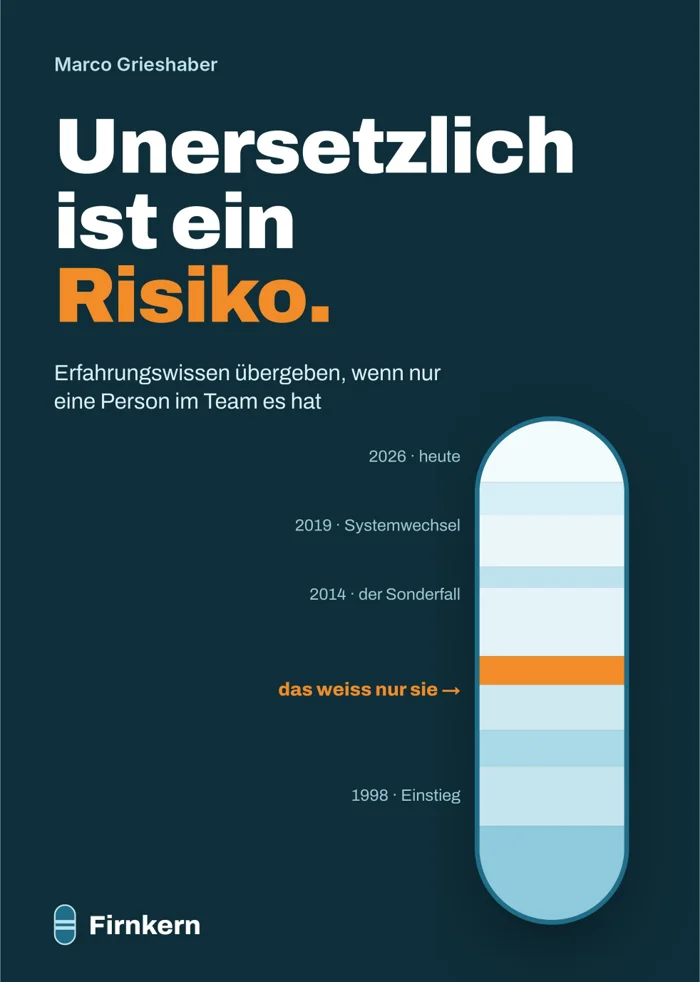
Cover draft «Unersetzlich ist ein Risiko.», Marco Grieshaber

The book behind the method

"Unersetzlich ist ein Risiko." (Irreplaceable is a risk.) – passing on experience when only one person in the team has it

By Marco Grieshaber, in German; an English edition is the goal. Every statement is referenced with author, year and page; every chapter opens with a scene and ends with a tool. Plus 30 templates and a complete sample dossier of a customs role. The book names no product; the method also works with paper and folders.

  • A role that exactly one person masters can be handed over even without a successor, without an HR department and without twelve months' lead time.
  • Whether the handover holds is shown by a simple test: someone who does not know the role works with the documents alone.
  • Every chapter states what the method does not do and where research contradicts itself.
Notify me when it is published

We keep your e-mail only for this one message and delete it afterwards, at the latest after 24 months.

The manuscript is complete; publisher and publication date are not yet fixed.

Which role worries you?

Write us a few lines. You will get a personal reply – in German or English.

Write to us

E-mail is quickest. Or use the form – we will reply personally.

info@firnkern.ch

Monday to Friday, 9:00 to 17:00 (Swiss time). We usually reply within 2 working days (target). Please report vulnerabilities to security@firnkern.com.

By sending, you agree that we use your details to reply. More in the privacy notice.